

This course contains member only contents,
please check the following for
membership subscription.
-

How to make a multi-pendulum swaying tail with a wide range of motion
-
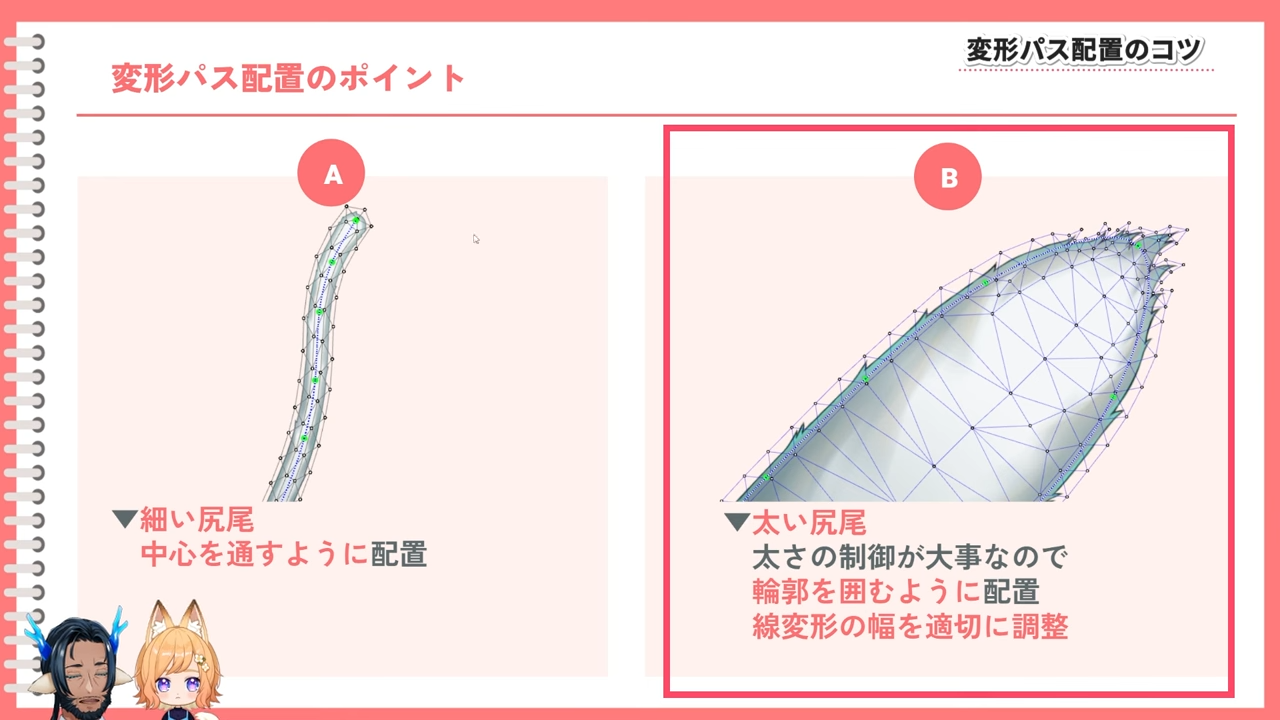
Key points for mesh division and deformation path placement
-
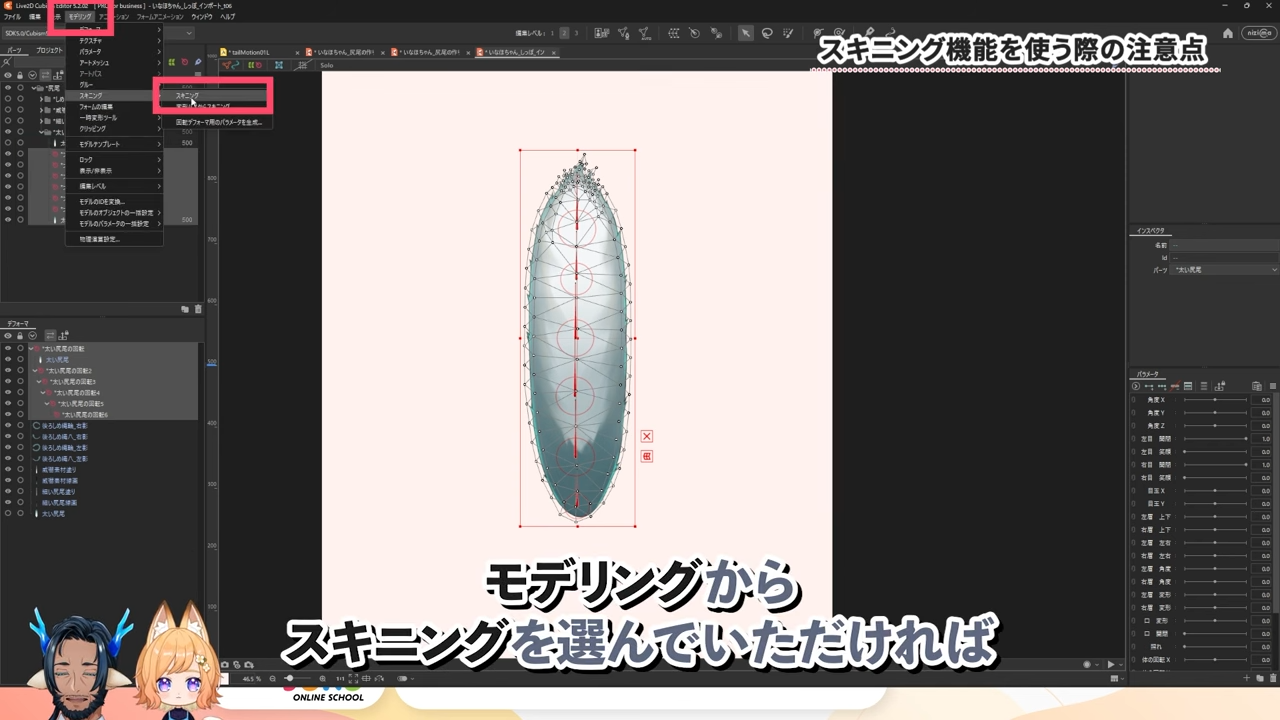
Warp method and manual skinning method
-
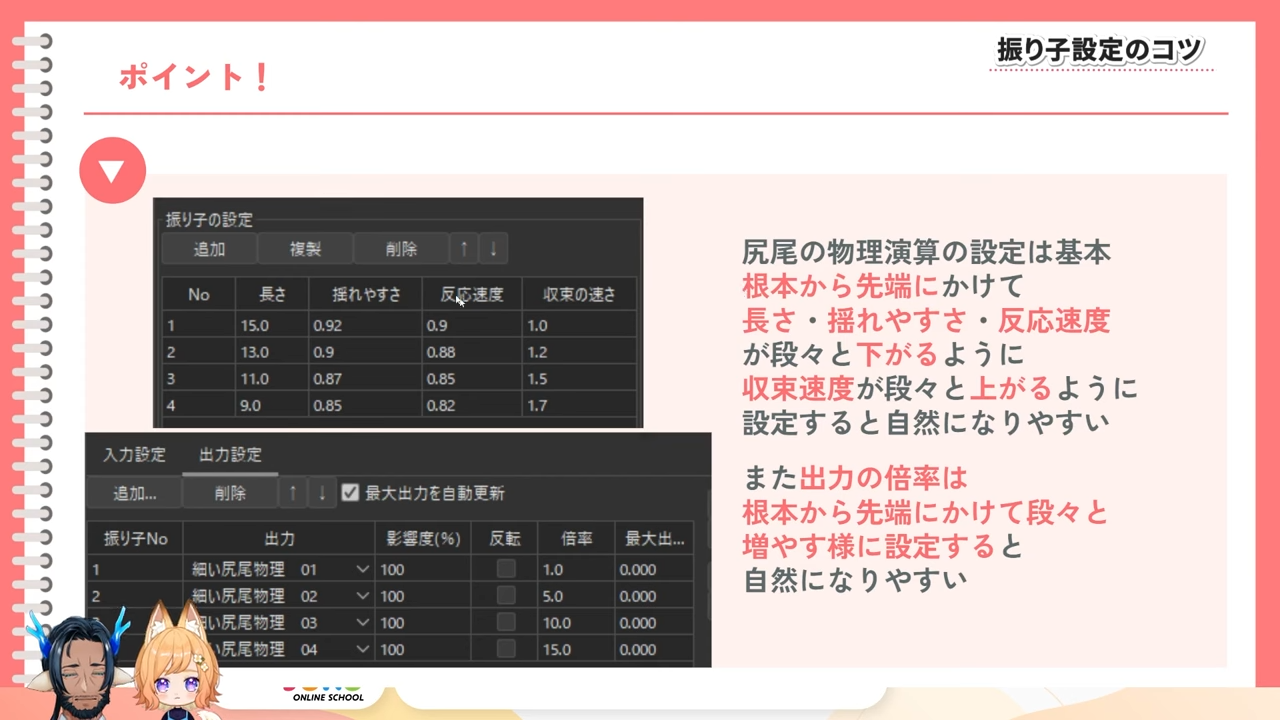
Physics Pendulum Setup Tips
-
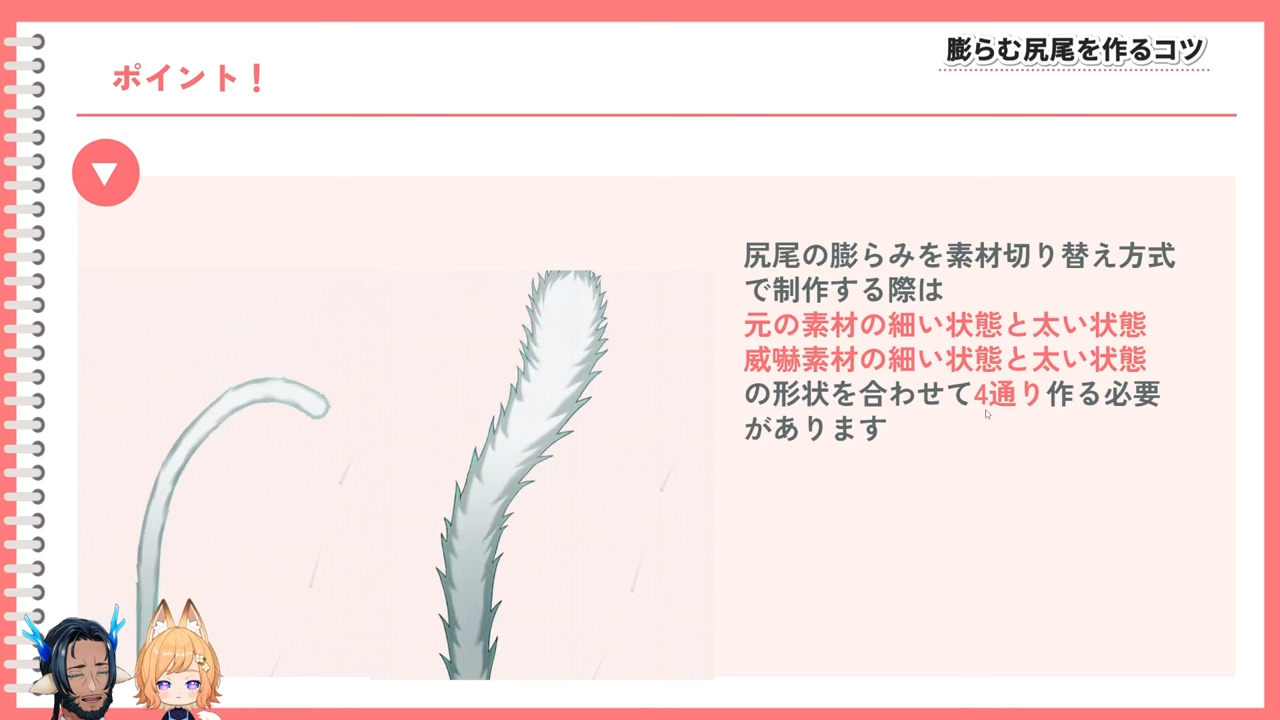
Can transform into a inflated form.
In this course, we will talk about how to make a tail that moves in a wide range of motion for VTuber models.
Since the tail sways in a wide range of motion, various emotions can be expressed through motion, and the direction of the tail can also be changed through motion!
If you are creating a VTuber model with a tail, please refer to this video!
Download the nizima LIVE plugin here:
https://docs.live2d.com/nizimalive/tutorials/plugins/
The data used in this course can be downloaded from here.
You need to login to the members-only page to download. For details about login, please click here.
This course is an edited version of the live course delivered on 2025/05/01.
Total 4 videos
-

#1Preparing for Modeling
This section will provide an overview of the course and explain the preparation before modelling, including texture separation.
Introduction to the course content
Tips on texture separation
Tail texture
Tips on mesh division
Deciding on a modeling method
Tips on deformation path placement
Utilizing onion skins. -

#2How to Create a Tail Using the Warp Method
This section explains how to create a tail using the warp method.
How to model with the warp method
Deformer setup
Tips for creating sway movement with warp deformer
Tips for creating sway movement with artmesh
Tips for creating an inflatable tail. -

#3How to Create a Tail Using the Manual Skinning Method
This section explains how to create a tail using the skinning method.
Notes on using the skinning function
Creating artmeshes suitable for the skinning method
Tips for creating a sway using the skinning method
The default look of the tail
Key points of creating inflatable tails. -

#4Physics and Motion
This section explains physics setup and motion tips.
How to create motion to physics switch
Tips on pendulum settings
How to apply it in tracking softwares
Tips on motion creation.
Release Date2025/09/04